WarmDesk: Self-Hosted Project Management for Modern Teams
Modern software teams produce a constant stream of tasks, conversations, customer commitments, and billable hours. Most commercial tools that manage all of this run in somebody else’s cloud, lock data inside proprietary formats, and charge per seat. WarmDesk is a self-hosted alternative: a single binary that covers Kanban boards, Scrum sprints, team chat (including one-to-one voice/video and group video calls), discussion threads, customer contracts, and time tracking — owned and operated by you.
What is WarmDesk?
WarmDesk is a project management platform built specifically for teams that require control over their own data. It ships as a single statically-linked Go binary that contains the REST API, the WebSocket hub, a built-in file server, and a bundled Vue 3 single-page application.
Drop the binary next to a config file, start it, and a fully functional project management tool is immediately available. No Docker compose files, no Kubernetes manifests, no cloud account required — though all of those deployment models work perfectly fine as well.
| Property | Detail |
|---|---|
Backend | Go 1.25, Gin, GORM — compiles to a single static binary |
Frontend | Vue 3 SPA served from the same binary |
Desktop | Native Tauri 2 app for Linux, macOS, and Windows |
Database | SQLite (default), PostgreSQL, or MySQL — switch with one config key |
Schema migration | GORM AutoMigrate on every startup — no separate migration files |
Scaling | Optional Redis pub/sub enables horizontal multi-instance deployment |
Auth | JWT (15 min access + 7 day refresh), TOTP/MFA, API keys, role-based access |
i18n | English, Dutch, German, French, Spanish (and seven more) |
Feature Tour
Project Boards: Kanban and Scrum
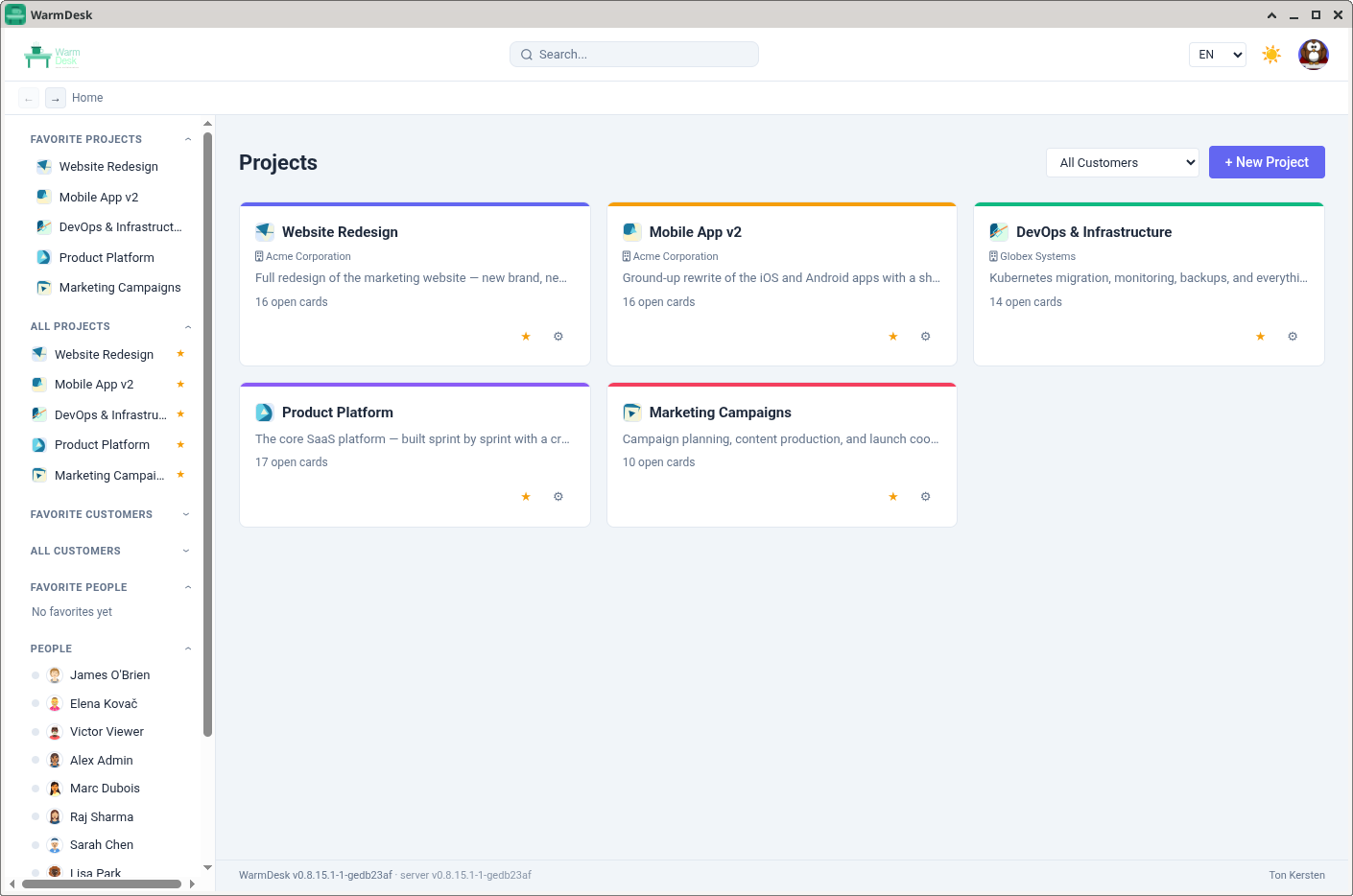
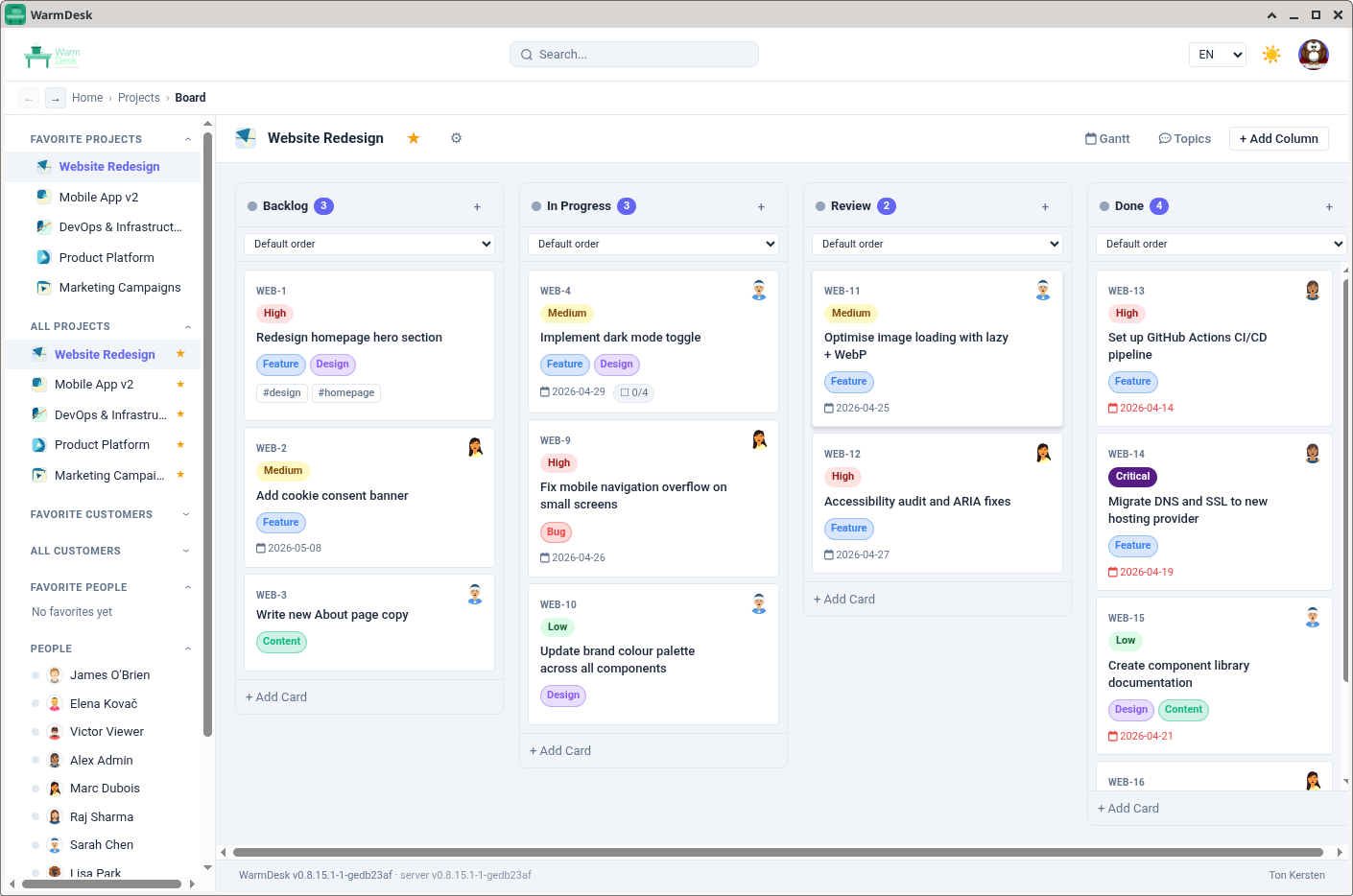
Every project is a board. At creation time you choose between Kanban (columns you define, cards flow freely) and Scrum (same columns but with sprints, a backlog, and story points).
Columns support WIP limits — a visual warning appears when a column holds more cards than the configured maximum. The column ordering is adjusted by dragging; card ordering inside a column is likewise drag-and-drop, persisted immediately through the API.
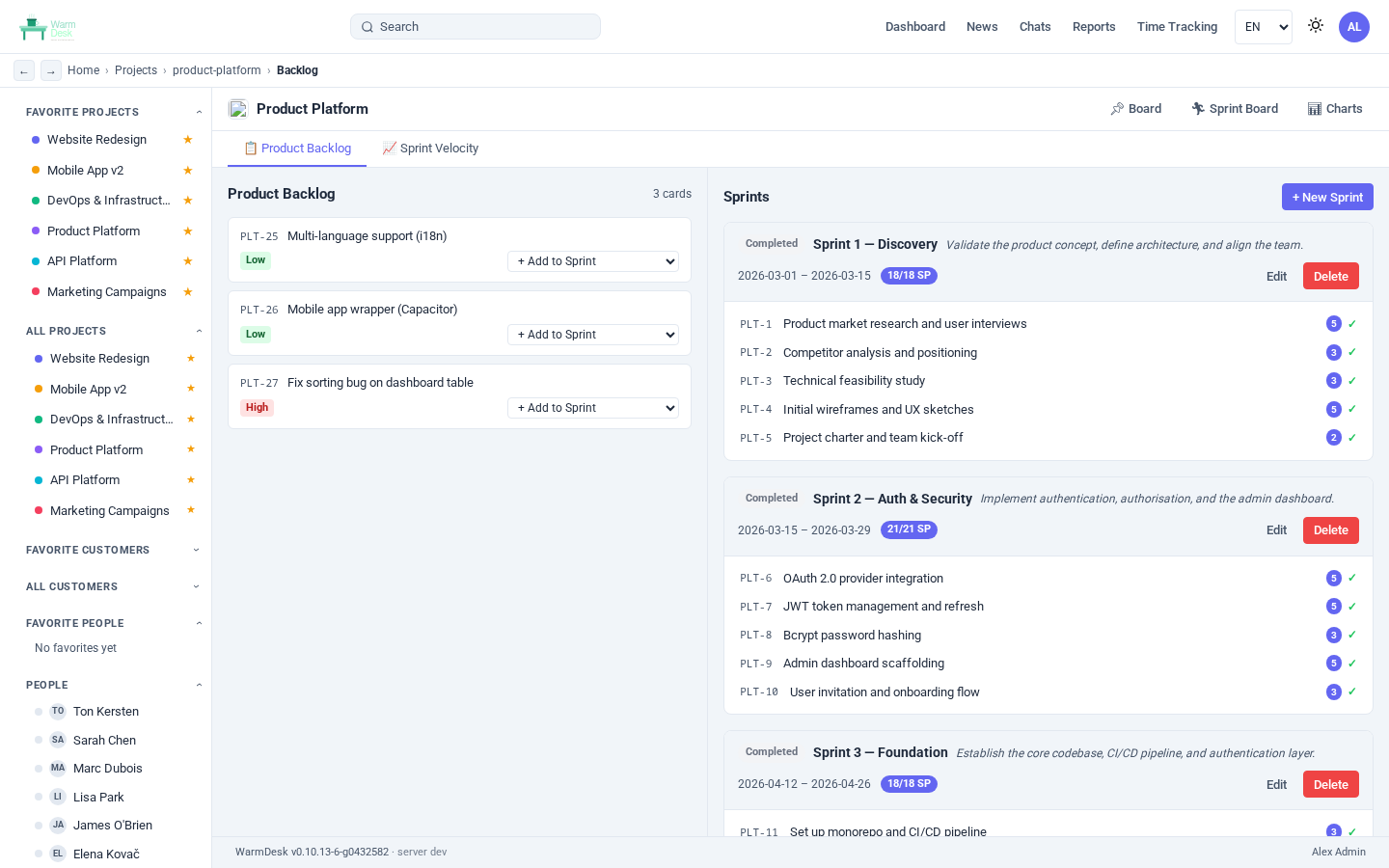
Scrum backlog and sprints
For Scrum projects a sidebar sprint panel lets you create sprints, drag backlog cards into them, and start or complete a sprint with a click. Completed sprints are retained for historical reference; incomplete cards are returned to the backlog.
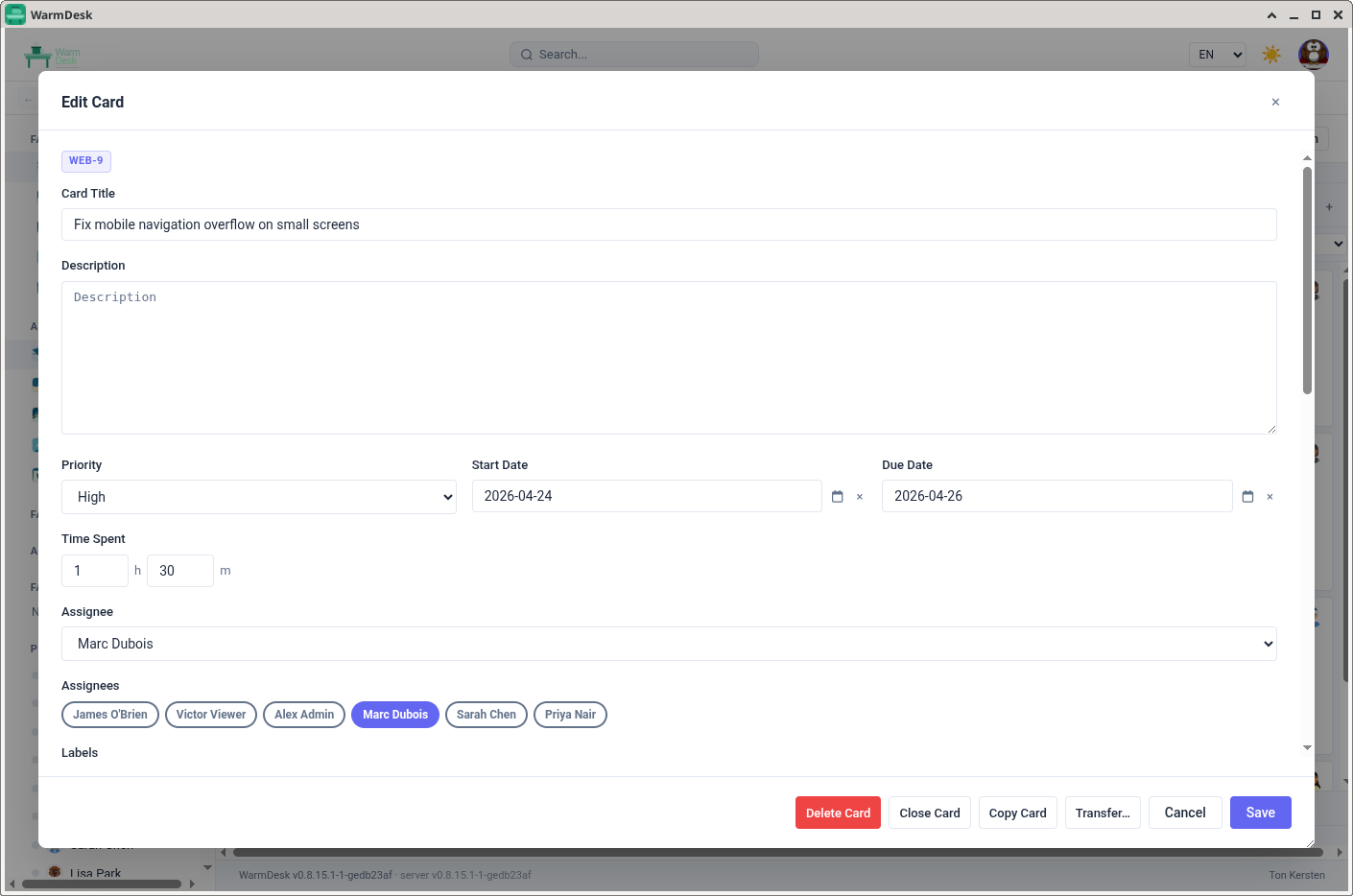
Cards: The Heart of the System
Every piece of work lives on a card. Cards support a rich set of metadata:
Title and full Markdown description with live preview
Priority: none / low / medium / high
Due date and optional start date
One or more assignees (the board renders all their avatars)
Labels (coloured tags defined per project)
Story points for Scrum velocity tracking
Time spent in minutes, logged per comment
Checklist items with individual completion toggles
File attachments (images inline, other types as download links)
Watchers who receive notifications
Sub-cards for hierarchical decomposition
Cross-references (bidirectional relates-to links between cards in any project)
Git links — commits, pull requests, and issues from GitHub, GitLab, Gitea, or Forgejo
The card number (PRJ-42) is globally resolvable: typing it in any chat message or comment generates a clickable badge that pops open the card detail.
Gantt View
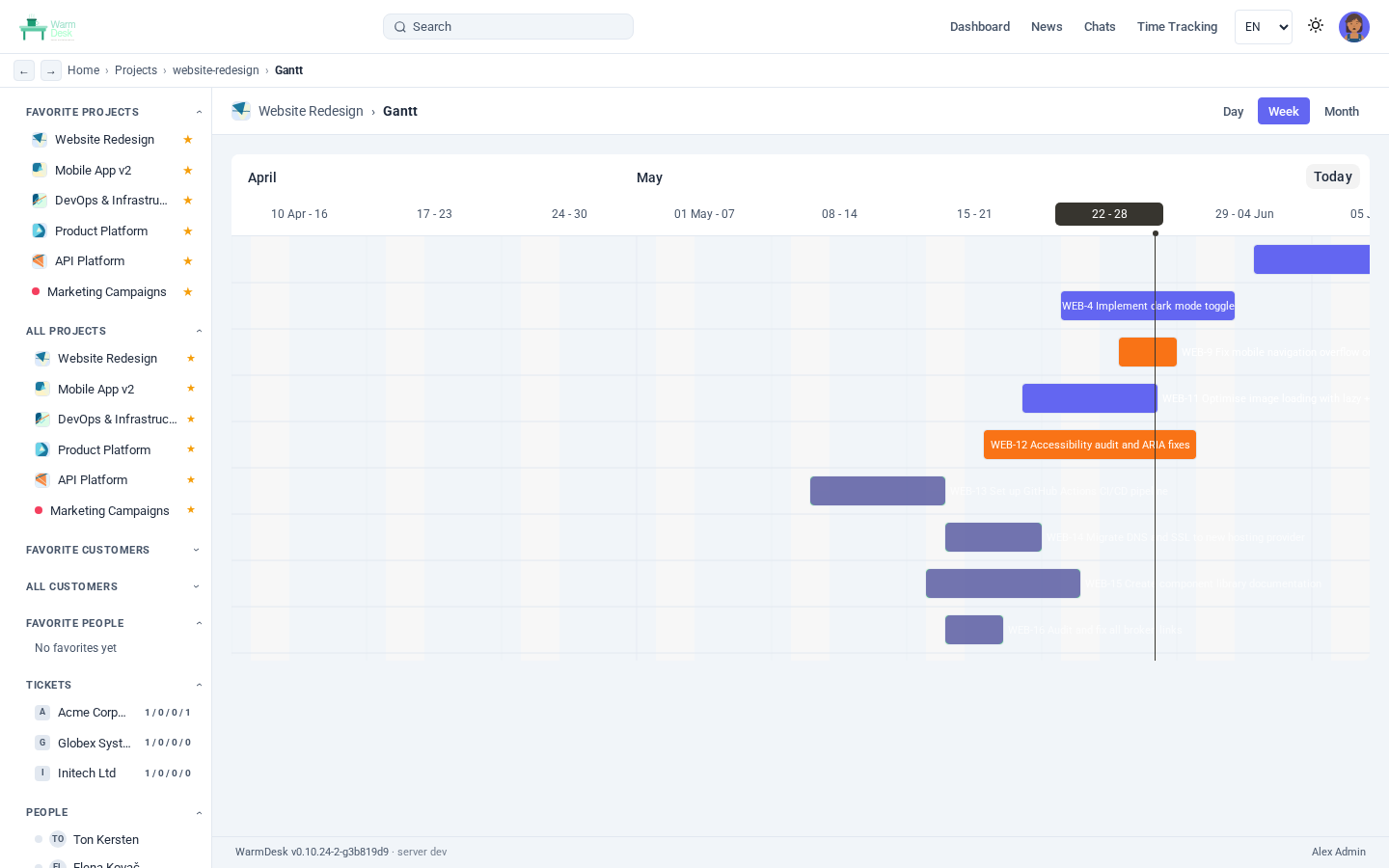
A per-project Gantt chart visualises cards that have a start date and a due date. The chart is rendered client-side with Frappe Gantt and lets you quickly spot scheduling conflicts and milestones without leaving the application.
Team Chat
Every project has a persistent project chat channel. Members send Markdown-formatted messages, attach files, react with emoji, and @mention colleagues — the mention generates a notification and is highlighted in the recipient’s view.
Cross-project direct messaging is fully supported: start a 1-on-1 conversation with any user, or create a named group chat by selecting multiple participants. Group chats support a custom avatar, member management, and five chat layout options — bubble, comfortable, compact, cozy, and grouped (Discord-style).
One-on-one voice & video calls are available directly from a direct message conversation (WebRTC peer-to-peer), and group video calls are available in DM group chats (3+ members) using LiveKit.
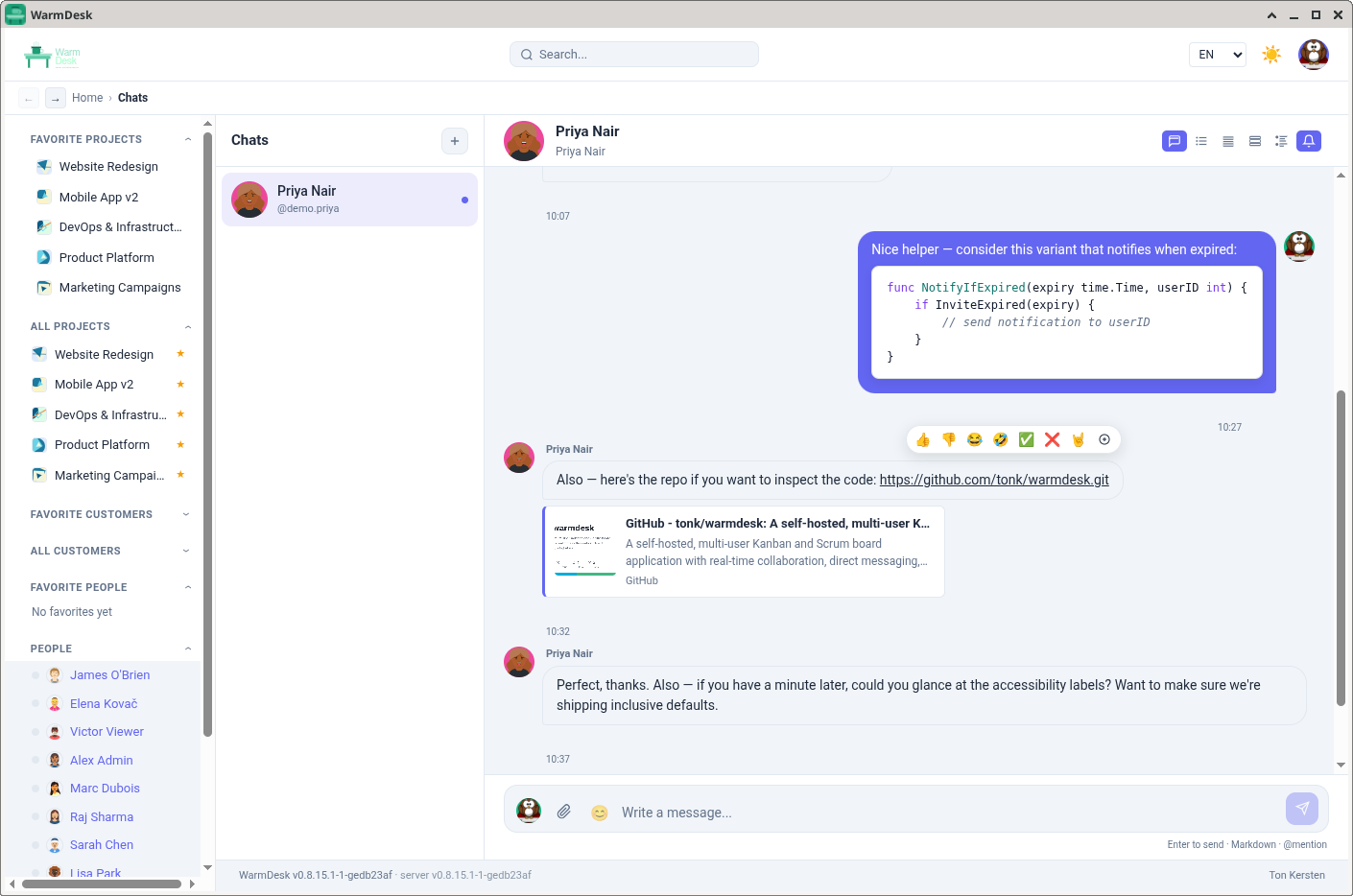
Messages support link-preview cards, emoji picker, and desktop notifications. Messages are delivered over WebSocket; a 5-second polling fallback covers environments where WebSocket is unavailable.
Discussion Topics
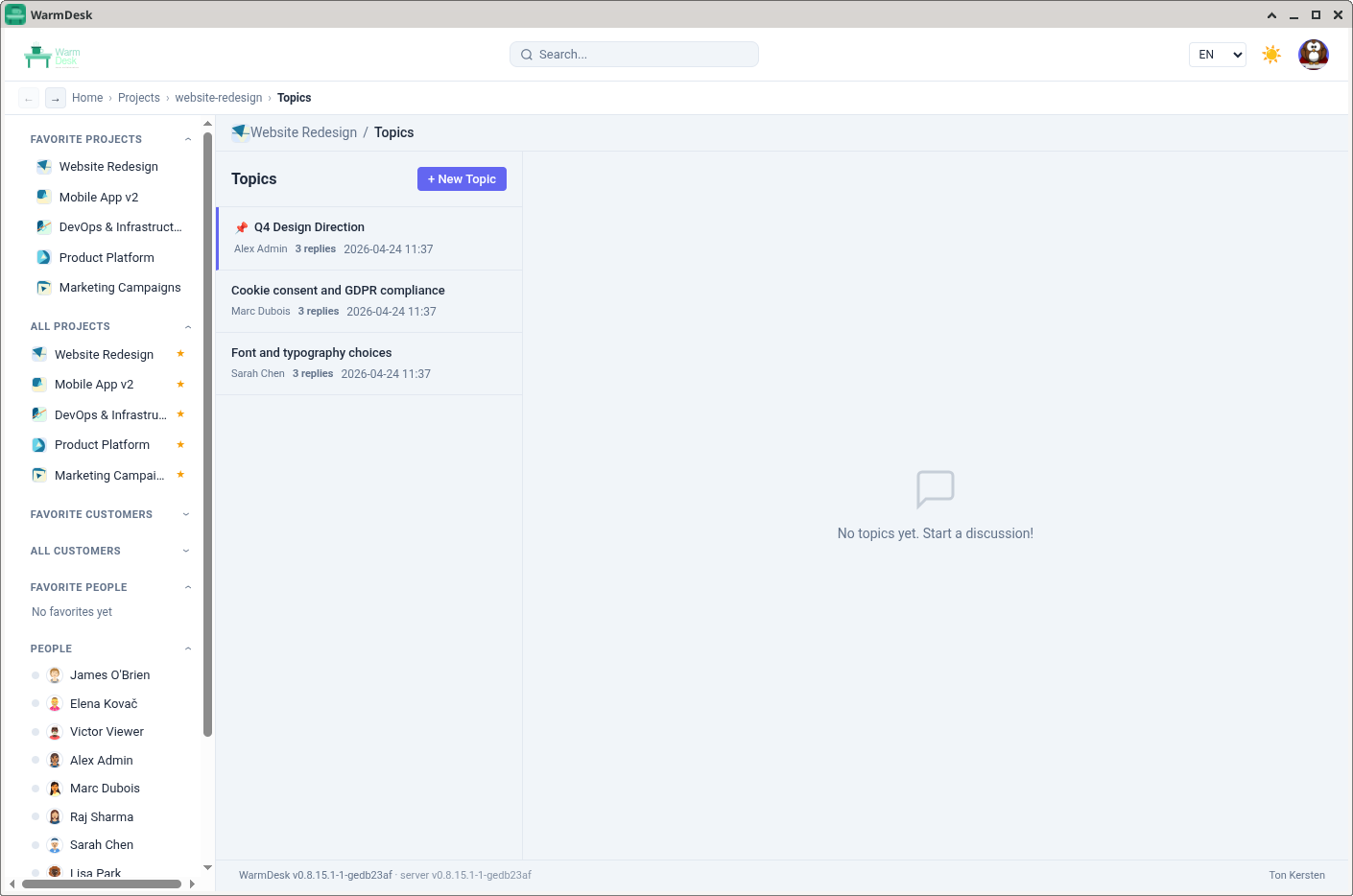
Each project also has a topics board — threaded discussion threads that live alongside the task board. Topics can be pinned, edited, and replied to; they are a good fit for design decisions, meeting notes, or any asynchronous conversation that does not map to a single card.
Customer and Contract Management
WarmDesk adds a lightweight CRM layer. Every project belongs to a customer, and customers can have multiple contracts that track start and end dates.
Customer access control is independent of project membership: a user can be granted access to all projects under a customer without being explicitly added to each one. User groups provide the same shortcut at scale — assign a group to a customer or project once, and all group members inherit the role.
Time Tracking and Reporting
Time entries are recorded against a project and optionally against a specific customer. Each week displays as a grid of date columns and project rows; clicking a cell opens a duration + description entry.
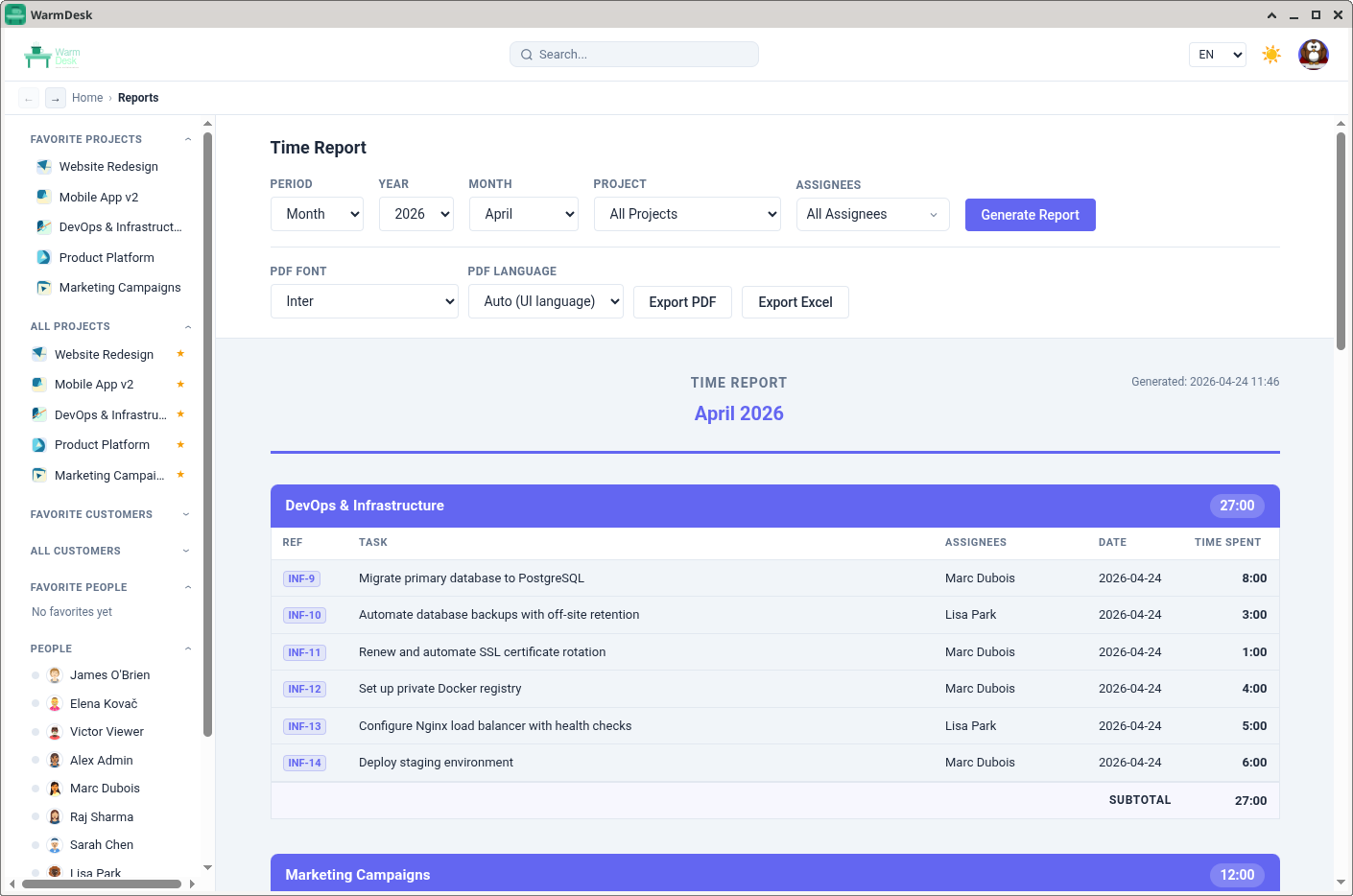
The Reports view aggregates entries across any combination of date range, user, customer, and project. Reports export to PDF and XLSX (SheetJS).
Administration
An admin panel covers:
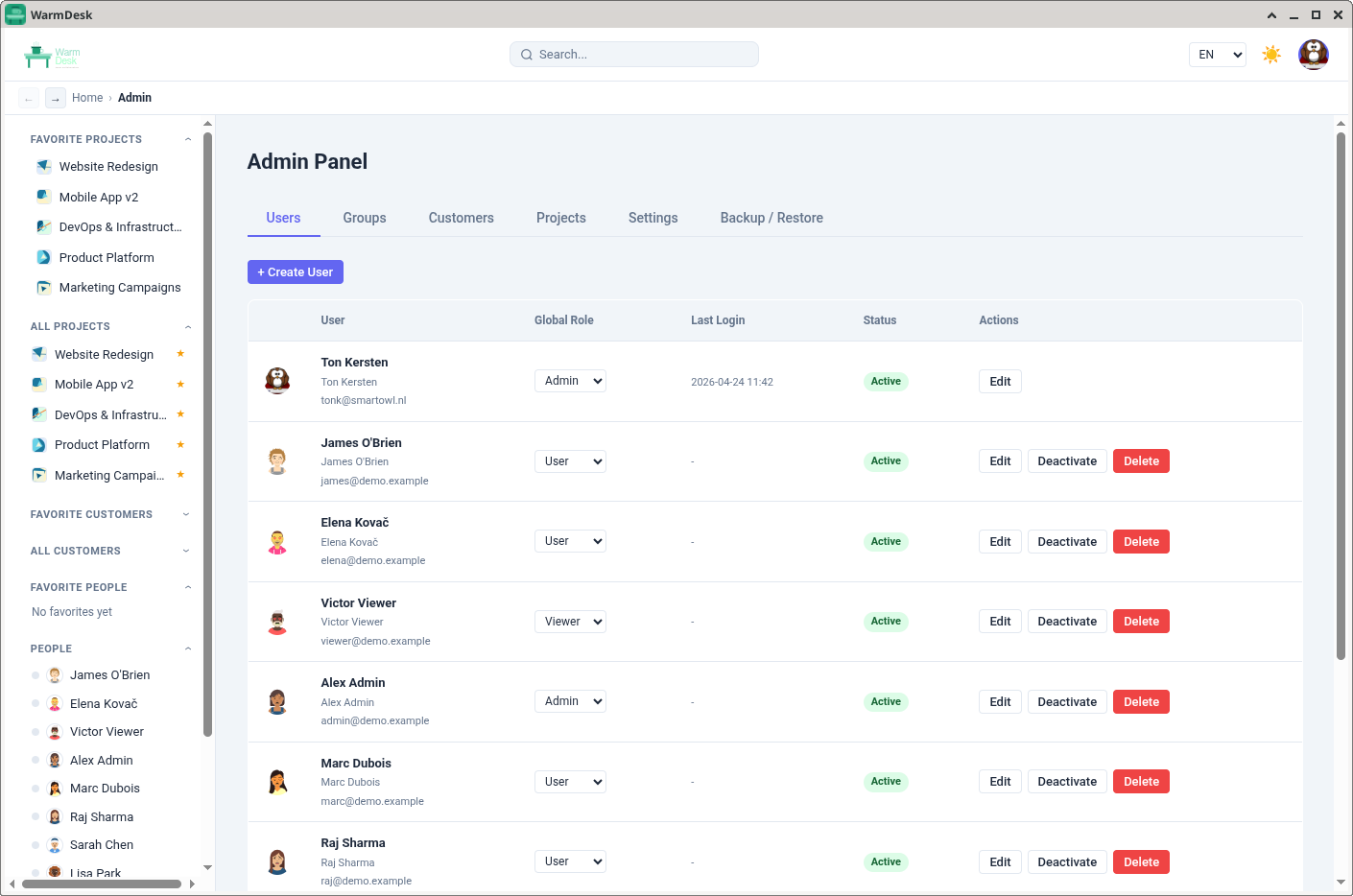
User management — create, edit, deactivate, reset MFA, and assign global roles
Group management — define user groups and assign them to projects and customers in bulk
System settings — SMTP, locale defaults, session timeout, registration toggle, branding
Database backup — on-demand or scheduled backup with download and restore via the UI
Analytics and Charts
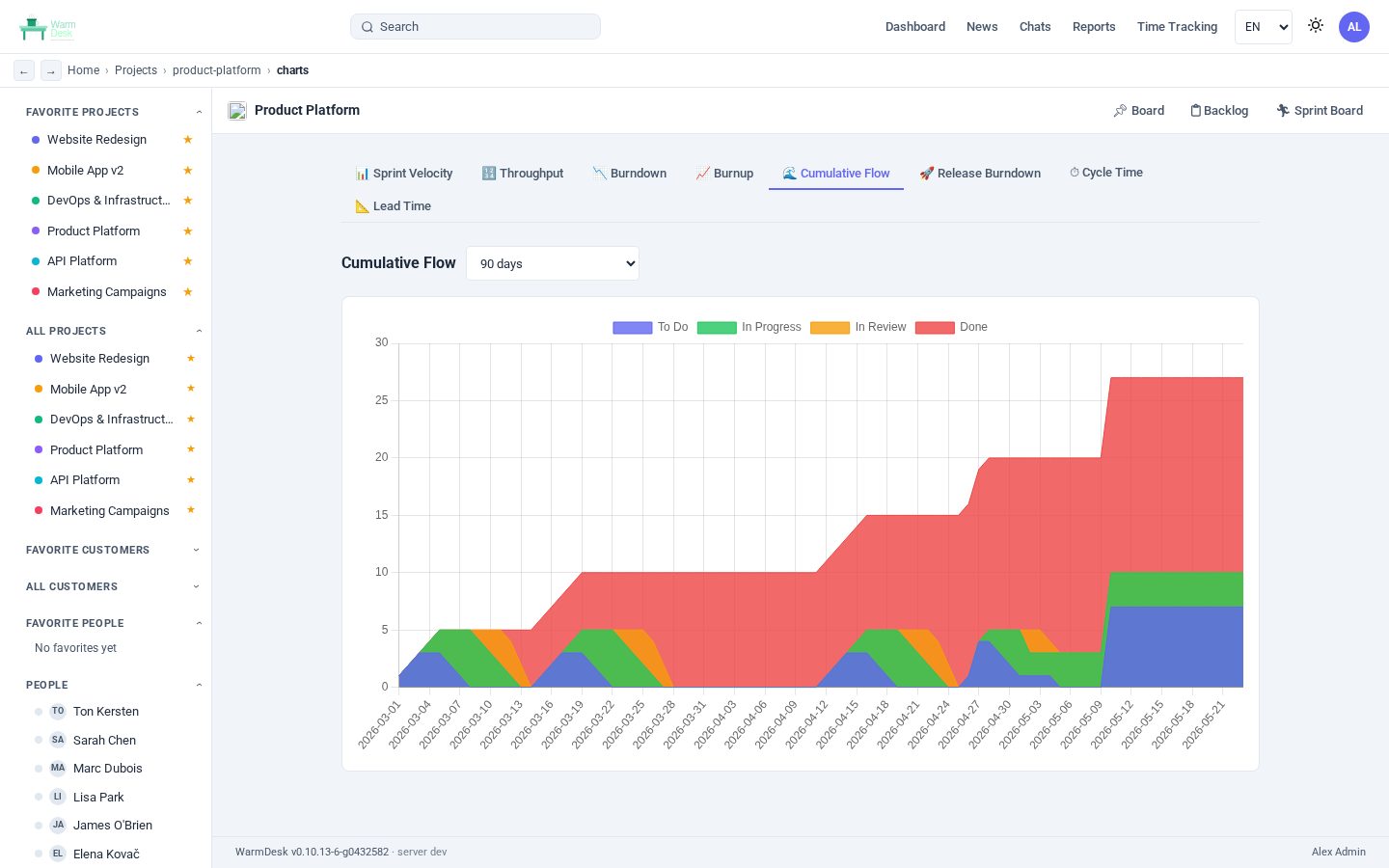
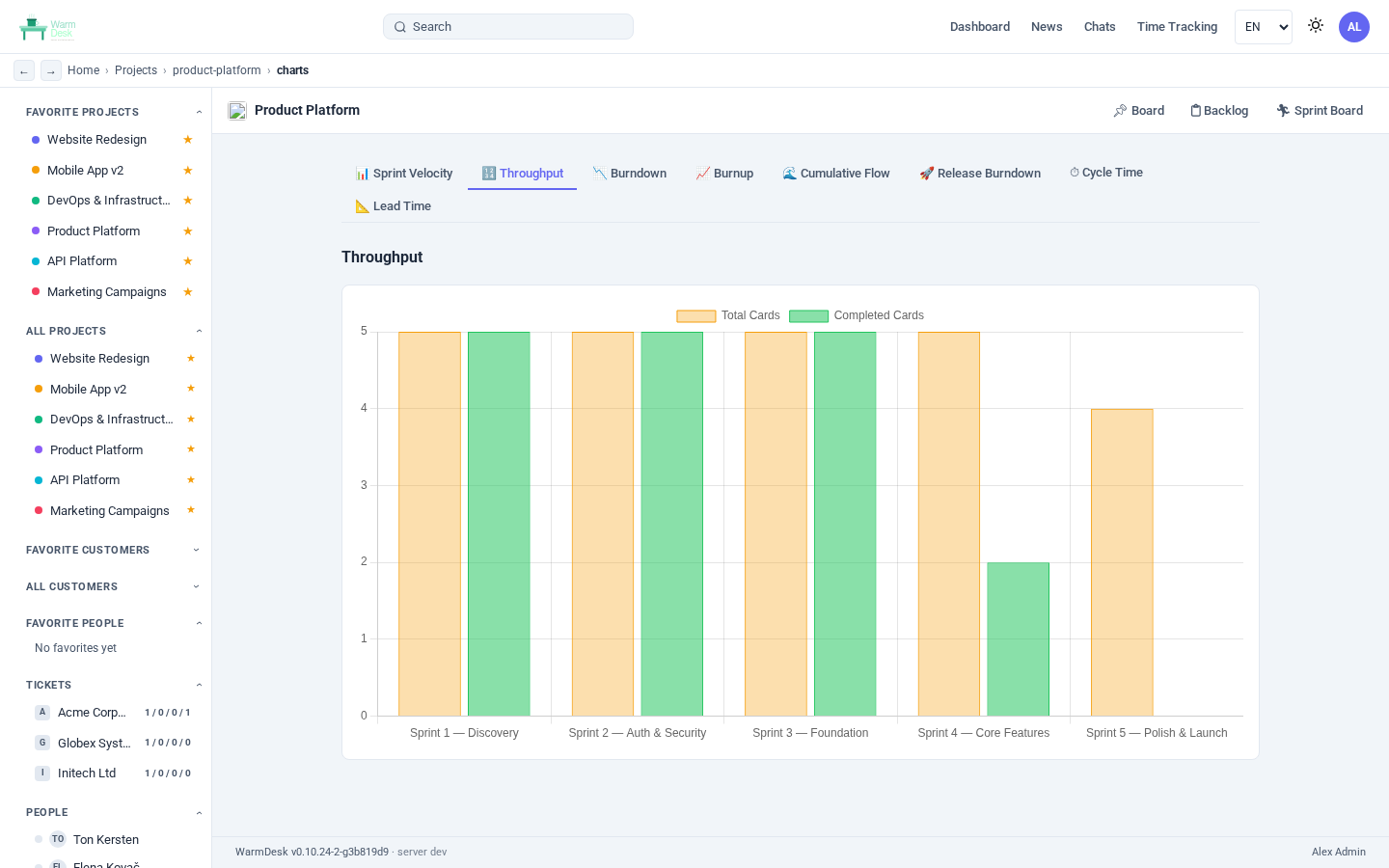
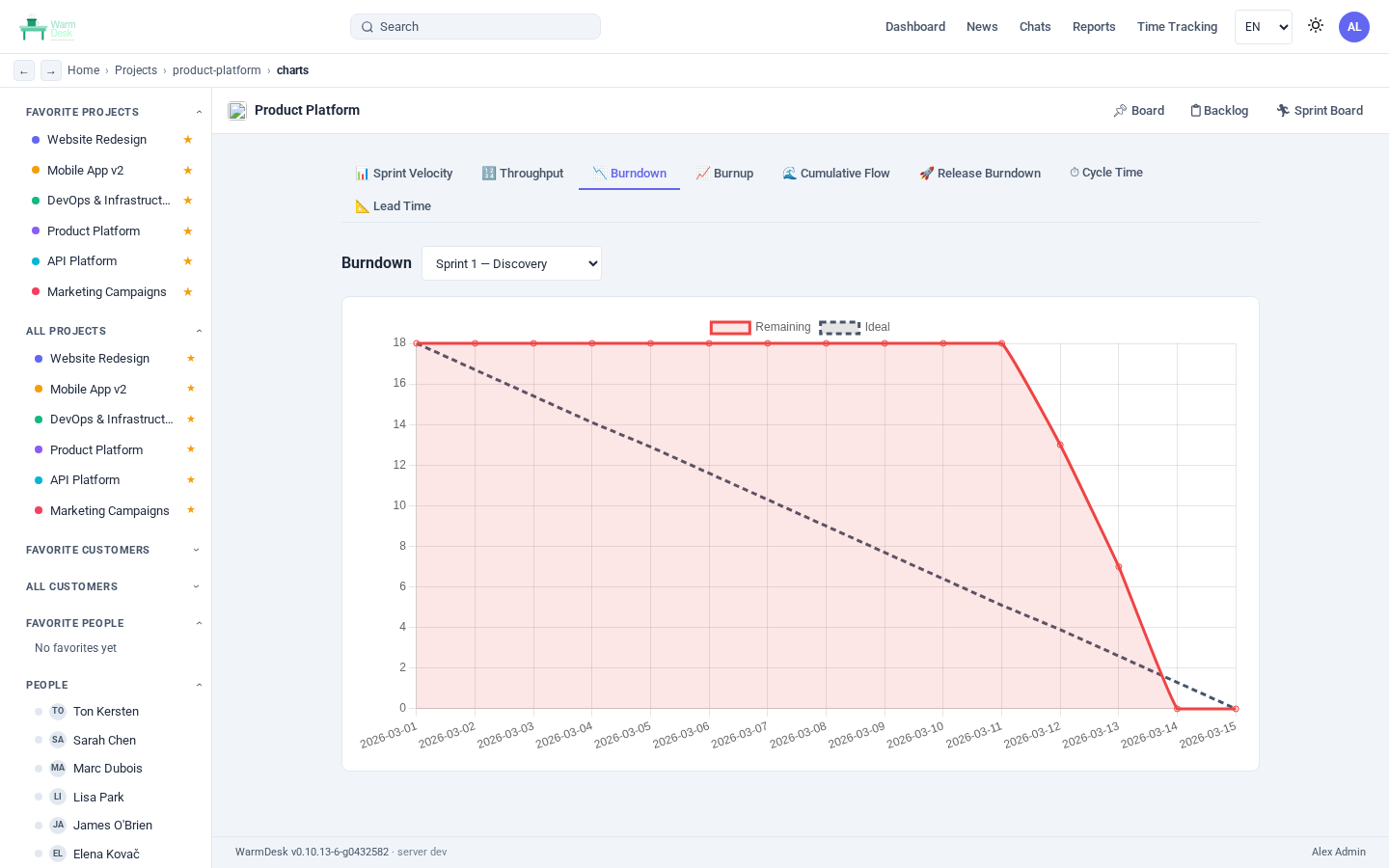
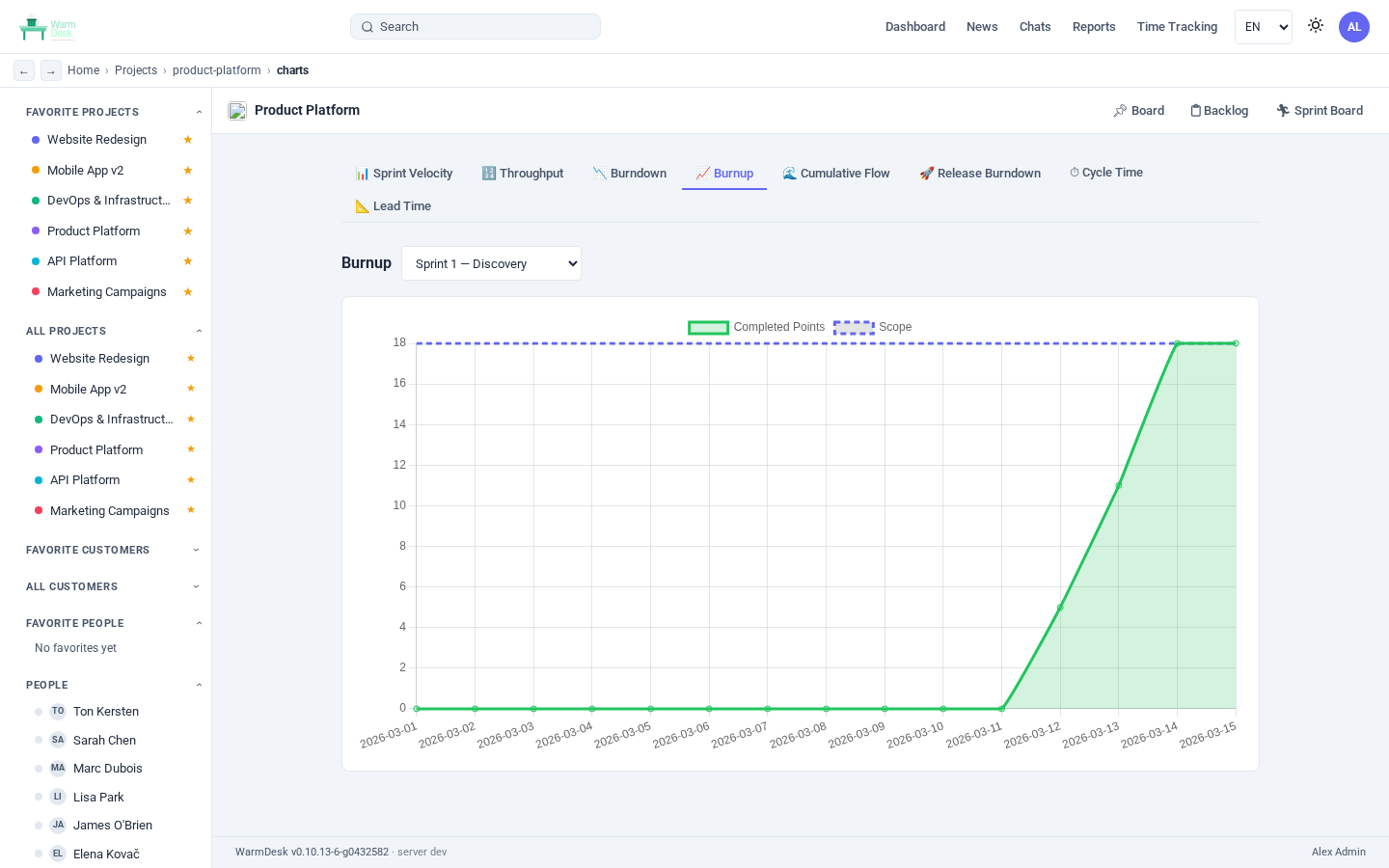
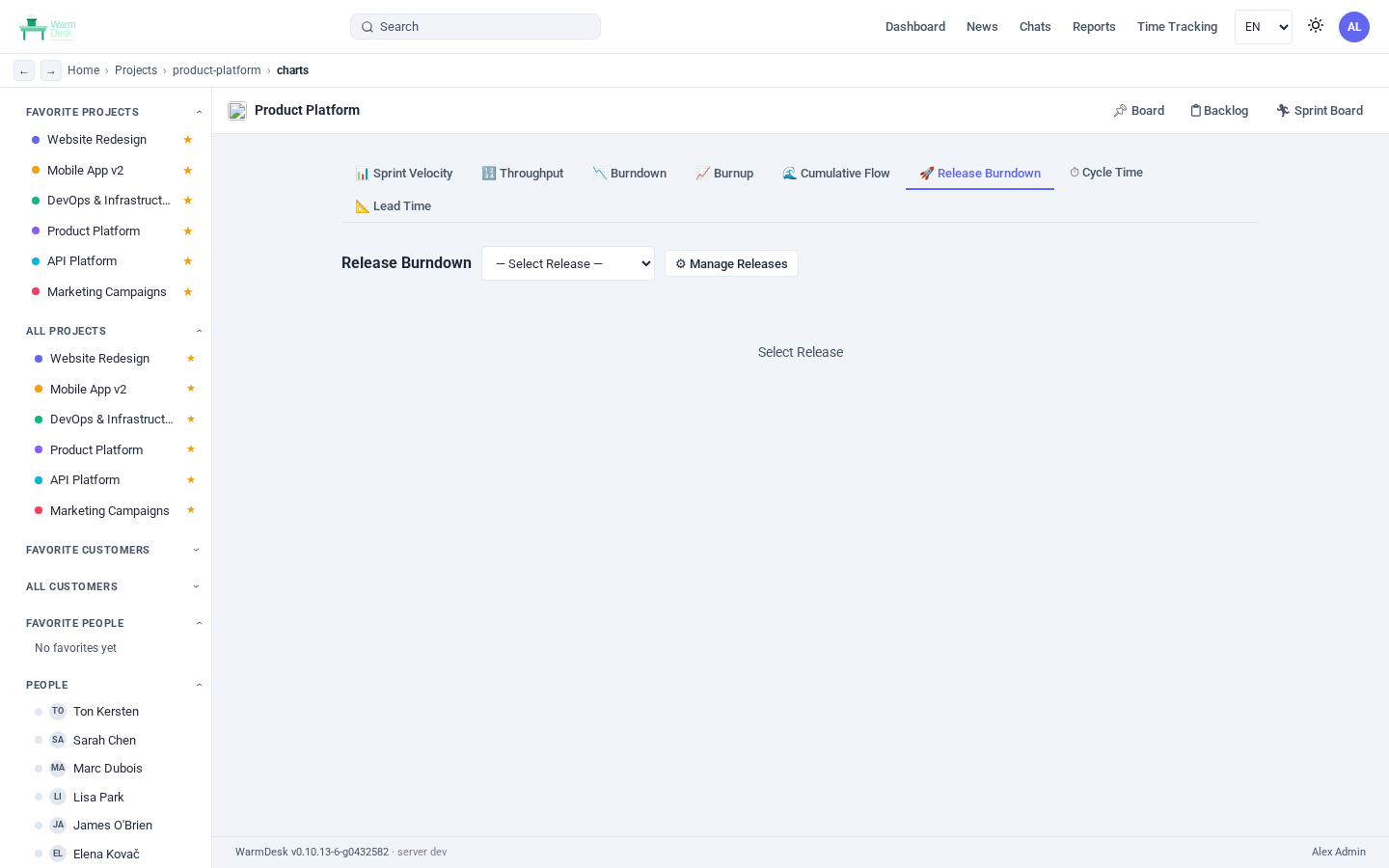
The Charts tab (📊) is available on every project board. Kanban and Scrum projects share Cycle Time, Lead Time, Throughput, and Cumulative Flow Diagram charts. Scrum projects add sprint-specific charts: Velocity, Burndown, Burnup, and Release Burndown.
Git and CI/CD Integration
Three complementary mechanisms bridge WarmDesk and source control:
Incoming webhooks — each project can register webhook endpoints for GitHub, GitLab, or Gitea/Forgejo.
Push events, pull request events, and issue events are parsed and linked to cards when the payload matches a card reference (PRJ-42).
Ticket API — a stable X-API-Key-authenticated endpoint allows CI pipelines to create cards, add comments, and move cards between columns without a user session.
Webhook receiver for chat — a generic JSON webhook posts a formatted message to the project’s chat channel.
Architecture
Application Stack
The frontend is a Vue 3 SPA bundled by Vite.
In development, Vite’s dev server runs on port 5173 and proxies /api calls to the Go backend on port 8080.
In production, the Go binary serves the compiled frontend from the path configured in web_dir.
The backend exposes a REST API under /api/v1/ and two WebSocket endpoints.
All WebSocket state is kept in an in-process hub per project; swapping the hub’s pub/sub layer to Redis enables horizontal deployment across multiple backend instances with no code change.
The Tauri 2 desktop app wraps the same Vue 3 frontend in a native window and communicates with a locally running or remote WarmDesk backend.
Key Design Decisions
AutoMigrate instead of migration files
Every model struct carries GORM tags.
On startup the database is opened and AutoMigrate is called for every model.
Adding a new column to a feature means adding a field with a gorm:"default:…" tag — the column appears on the next restart with no manual intervention.
Fractional position ordering
Cards, columns, and projects store their display order as a float64 position rather than an integer index.
Inserting a card between positions 1.0 and 2.0 gives it position 1.5 — no bulk re-numbering query is needed.
Card numbering
Each project has an atomic card_counter column.
Creating a card does UPDATE projects SET card_counter = card_counter + 1 and reads the new value — the card gets number KeyPrefix-N without a separate sequence object, keeping the schema compatible with SQLite.
System settings as key-value rows
SMTP credentials, branding, locale defaults, and other admin-controlled settings are stored as rows in the system_settings table.
They are read at request time so changes take effect without a restart.
Deployment
Minimum Setup
# Download the release binary for your platform
wget https://github.com/tonk/warmdesk/releases/latest/download/warmdesk-linux-amd64

# Optional: create a minimal config file
cat > warmdesk.yaml <<EOF
port: 8080
jwt_secret: change-me-in-production
EOF

# Run (creates warmdesk.db on first start)
./warmdesk-linux-amd64
Database Selection
# SQLite (default — no extra setup)
db_driver: sqlite
db_dsn: ./warmdesk.db

# PostgreSQL
db_driver: postgres
db_dsn: host=db user=warmdesk password=secret dbname=warmdesk sslmode=disable

# MySQL / MariaDB
db_driver: mysql
db_dsn: warmdesk:secret@tcp(db:3306)/warmdesk?charset=utf8mb4&parseTime=True
Horizontal Scaling
Add Redis and point multiple instances at the same database:
redis_url: redis://redis-host:6379/0
db_driver: postgres
db_dsn: host=pg-primary user=warmdesk ...
Each instance runs an independent WebSocket hub; Redis pub/sub bridges them so that a card update from a user connected to instance A is broadcast to users connected to instance B.
Summary
WarmDesk brings together the features a small-to-medium engineering team actually needs — Kanban and Scrum boards, real-time chat (including one-to-one voice/video and group video), customer management, time tracking, and Git integration — in a package that fits on a single server, scales horizontally when traffic grows, and keeps every byte of project data under your own control.
Its architecture is deliberately boring: a Go binary, a Vue SPA, a database. No external services required out of the box, no per-seat pricing, no vendor lock-in.